
A slab sits half-cut on the table, the saw is down and the clock is burning roughly $1,500 an hour. Unplanned downtime lands mid-job with a customer on the phone and a crew standing idle. That number is what finally changed how I run my shop.
Key Takeaways
- Match blade bond to material: soft bond for hard stone, hard bond for soft stone
- Check rail parallelism and backstop squareness before blaming the blade
- A 50-micron water filter prevents most nozzle and pump failures
- True cost per square foot, not machine price, should drive your comparison
- A short daily checklist prevents the majority of common failures
A chipped edge on the third slab of a kitchen job sent me to the blade rack; the rail was out of parallel and the blade was fine.
The maddening part is the inconsistency. Same saw, same operator different cut quality day to day. And the failure is rarely where you first look. Most bridge saw problems fall into four categories: cut quality, vibration, water system, motor. All four can be diagnosed in-house.
This guide is vendor-neutral and built from the shop floor not a showroom. You get the diagnostic flowcharts and the cost-per-square-foot math, so the saw pays for itself without a sales rep in the room.
Before you can fix or choose a saw, you need to know what each type actually does. Start with the four machines you’ll see on shop floors.
Types of Stone Saws and Fabrication Machines
Every shop’s saw decision starts with knowing what the four machine types actually do. A manual bridge saw, a CNC bridge saw, a sawjet and a wire saw each earn their floor space under different conditions. Match the machine to your material mix and weekly volume and the payback takes care of itself.
Manual Bridge Saw: The Workhorse for Small to Mid-Size Shops
A manual bridge saw handles straight cuts, miters and basic shaping on slabs up to 3 cm. For a shop turning out one to five kitchens a week, it’s the right tool. Blade bond matters more than most operators admit: soft-bond blades for hard stone, hard-bond for soft stone.
The limitations are real. No CNC contouring and repeatability depends on the operator’s hands and eyes.
A new blade fixes almost nothing when the rails are dirty. I watched a colleague chase a wavy-cut problem through three blade swaps last spring. Each fresh blade cut clean for the first few slabs, then the waves came back. The blade was never the issue. His guide bearings had picked up granite dust and the rail was out of parallel by more than the cut tolerance. He spent a day cleaning and squaring the rails and the same blade he had written off cut straight again. The ±0.005 inch tolerance was there all along. It just needed clean rails to show up.
Expert Tip: On a manual bridge saw, monthly rail-parallelism checks with a machinist’s square and clean guide bearings keep cuts square to ±0.005 inch and most ‘wavy cut’ complaints trace to rail contamination not blade quality.
Product Recommendation: A digital laser alignment system (e.g., Hamar Laser or similar) cuts bridge-squaring setup time in half after a move or rail service.
CNC Bridge Saw: Precision and Automation for Growing Shops
A CNC bridge saw takes over when volume climbs past five kitchens a week and keeps climbing to twenty or more. Three- to five-axis control handles high-volume straight and miter cutting, sink cutouts and complex shapes that a manual saw cannot repeat reliably. Automatic tool changing, laser templating and offline programming remove the operator from the tolerance equation.
Maintenance complexity is higher than a manual saw but a CNC bridge saw that gets its spindle intervals and alignment checks runs for ten-plus years.
Sawjet (Waterjet + Saw Combination): The Ultimate Multi-Tool
A sawjet pairs a rotary diamond blade with an abrasive waterjet on the same gantry head. Straight saw cuts and waterjet profiling happen without moving the slab, which eliminates secondary handling on sink cutouts, drainboard grooves, radius corners and inlays. It cuts stone plus glass, metal and composites.
The speed claim holds up in practice: a sawjet cuts stone 40 to 60 percent faster than a waterjet alone, holding tolerances around ±0.005 inch. Straight cuts run slower than a dedicated CNC saw but the trade is one setup instead of two stations.
Entry-level machines start near $150,000, which puts a sawjet 30 to 50 percent pricier than a comparable CNC bridge saw. You also need a larger footprint, a high-pressure pump and abrasive handling.
Expert Tip: If more than 30% of your jobs need waterjet work, a sawjet often pays for itself within 18 months by eliminating a separate waterjet station’s labor and handling, so calculate true cost per square foot, not just machine price.
Product Recommendation: Slab layout and optimization software (e.g., Slabsmith, AlphaCAM) is nearly mandatory with a sawjet to maximize yield and program saw and waterjet paths efficiently.
Wire Saw: For Block Slabbing and Thick Material
A wire saw is a niche tool. It slabs blocks at the quarry or slices material 6 cm and thicker, using diamond-impregnated wire with water cooling. Precision is lower and feed rates are slow.
For most fabrication shops, a wire saw never enters the conversation. It matters only for in-house slabbers or specialty architectural work.
Know the four types, then price the one that fits your volume and material mix against the cost per square foot it can actually deliver.
How to Choose the Right Saw for Your Shop
The right saw depends on your weekly kitchen count, your material mix and how much you’ll spend beyond the purchase price. Get those three things on paper before you talk to a sales rep.
Which spec actually decides whether a saw pays for itself once it’s bolted to your floor? The horsepower figure on the brochure won’t tell you. Across the shops I’ve walked through, the differentiator that separates profitable saws from idle ones is blade bond.
Soft bond for hard stone, hard bond for soft stone. Get that wrong and a granite job burns through blades twice as fast, no matter how many axes the machine has. The saws that pay off are the ones where swapping bond takes minutes, not a teardown. Marketing never mentions it. Your blade supplier will.
Assess Your Production Volume and Material Mix
Match the saw to what actually crosses your table each week. A shop cutting one to three kitchens a week does fine with a manual bridge saw with a tilting head. The operator is the bottleneck at that volume and a $200,000 CNC won’t change that.
Five to ten kitchens a week, mostly engineered stone is where a CNC bridge saw starts earning its keep. Repeatability matters more than raw speed here. You’re cutting the same sink cutouts and cooktop openings over and over and a CNC removes the layout errors that eat margin.
Fifteen or more kitchens a week or any steady stream of complex shapes, pushes you toward a sawjet or a CNC paired with a separate waterjet. A sawjet cuts stone 40 to 60 percent faster than waterjet alone. That speed only pays off when the volume is there to feed it.
Budget and Total Cost of Ownership
Sticker price is the smallest number you’ll ever write down. True cost per square foot is what pays the lease.
Manual bridge saws run roughly $15,000 to $50,000 for shop-grade machines. A 3-axis CNC starts around $80,000 and 5-axis machines run $150,000 to $500,000 plus. Sawjets start near $150,000, with a BACA Robo SawJet or Breton Smartcut landing between $250,000 and $500,000 plus. Wire saws typically sit above $100,000.
Then add what the brochure leaves out. Blades wear and need replacing. Water treatment and filtration cost money every month. Energy draw on a 3-phase saw is real. Sawjets burn abrasive by the bag. Training an operator is a week of production you don’t get back.

Expert Tip: Compare saws on true cost per square foot: add blade, energy, water/filtration and labor costs per square foot not the sticker price.
Space and Infrastructure Requirements
Check your floor before you sign. A manual bridge saw needs roughly 10 by 15 feet. A CNC bridge saw wants about 20 by 30. A sawjet eats 500 square feet or more once you account for the water system and material handling.
Power is the next gate. Most CNC and sawjet machines need 3-phase power. If your building doesn’t have it, that’s a service upgrade before the saw even arrives.
Water is the one everyone forgets. A sawjet and most CNCs need a recycling or settlement tank and abrasive sludge has to go somewhere legal. That disposal cost is monthly not one-time.
Product Recommendation: A closed-loop water filtration system with a 50-micron filter, plus a water softener in hard-water areas, pays for itself in fewer nozzle clogs and pump rebuilds.
Operator Skill and Training
A manual bridge saw takes two to four weeks before an operator runs production unsupervised. The skill is in reading the stone, not the machine.
A CNC bridge saw changes that. The operator needs basic CAD/CAM skills plus the manufacturer’s three to five day training. The machine does the cutting; the operator does the programming.
A sawjet combines both skill sets. Plan on CNC programming plus waterjet parameters, one to two weeks of training and ongoing support from the manufacturer or a local tech. The waterjet side has its own failure modes that only show up under load.
Once you’ve narrowed the type, the next step is reading the spec sheet without getting fooled by horsepower and axis-count marketing.
Key Features and Specifications Explained
A spec sheet is a sales document. Here’s what each number actually changes on your floor.
Horsepower and Spindle Power: More Isn’t Always Better
For the 3 cm granite most shops cut, 10 to 15 HP does the job. Higher horsepower helps when you’re running high volume or slicing thicker slab but it also pulls more energy and pushes more heat into the cut zone.
The idea that more HP produces a cleaner edge is the most expensive myth in this market. Cut quality comes from the right blade bond, proper feed rate and a squared-up, maintained spindle. A bigger motor buys you speed not edge finish.
Blade Diameter and Cutting Depth
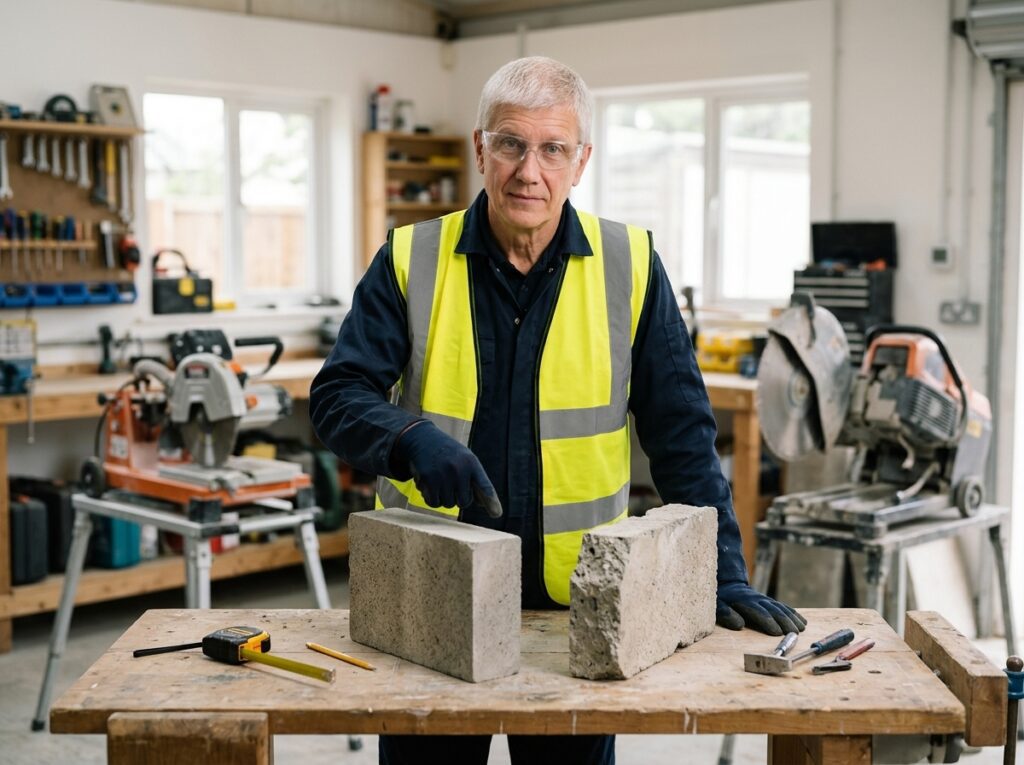
Common blade sizes run 14, 16, 20 and 24 inches. A 20-inch blade gives you up to 3 inches of cut depth. For standard 3 cm material, a 14 or 16 inch blade is plenty. Arbor sizes are typically 50 mm or 60 mm and the blade bore has to match the arbor exactly. Bigger blades cut deeper but demand more from the spindle, the bearings and the structure holding it all together.
Expert Tip: Never exceed the manufacturer’s maximum blade diameter. Oversized blades overload the motor, cause dangerous vibration and void the warranty.
Axis Count and Movement Capability
This is where shops overbuy. A 3-axis machine handles straight cuts and simple mitering, which covers most countertop work. A 4-axis adds C-axis rotation, so you can make angled cuts without repositioning the slab. A 5-axis adds spindle tilt for undercutting, drainboard grooves and 3D profiling. For most countertop shops, 5-axis capability sits idle more days than it runs.
Table Type and Material Handling
Tables come in fixed, tilting, rotary and conveyorized configurations. A tilting table with vacuum lift is the single biggest safety and productivity upgrade for a single-operator shop. You load the slab flat, tilt to vertical for cutting and the vacuum system holds it steady without a second person spotting the load. Fixed tables cost less up front but demand a second body for every slab that isn’t a perfect rectangle.
Product Recommendation: For single-operator shops, a tilting table with vacuum lift assist pays for itself in reduced labor and fewer broken slabs.
Control System and Software
Touchscreen controllers from Siemens, Beckhoff and OSAI are the common platforms. DXF import from your templating software is standard on most modern machines. The real differentiator is offline programming: if you can write and simulate programs at a desk while the saw runs the previous job, you’ve removed the biggest bottleneck in the shop.
14 minutes to program a basic L-shaped kitchen on my old controller, under 4 on the demo unit I ran last spring. That ten-minute gap, five kitchens a day, is why I stopped shopping by horsepower and started shopping by software.
Expert Tip: When evaluating a CNC saw, demo the software with one of your actual job files. If programming a typical kitchen takes over 10 minutes, the interface will cost you hours weekly.
Specs only matter if the machine is kept square, clean and cooled. The comparison table next puts the four saw types side by side.
Stone Saw Comparison Table
Strip the brochure language and the four saw types sort into four rows. The columns that matter are the ones a sales rep won’t volunteer: what the machine actually costs to keep running and how much of the work it does without you.
| Saw Type | Best For | Typical Materials | Precision Level | Approximate Price Range | Maintenance Complexity | Automation Level |
|---|---|---|---|---|---|---|
| Manual Bridge Saw | Small shops, slab sizing, custom one-offs | Granite, quartz, marble | Good; operator-dependent | $7,460–$57,000 street; $15K–$50K shop-grade | Low; daily rail checks and blade dressing | None to minimal |
| CNC Bridge Saw | Production shops, repetitive profiles | Granite, quartz, engineered stone, porcelain | High; repeatable when calibrated | 3-axis $80K–$120K; 5-axis $150K–$500K+ | Moderate; axis calibration, coolant, software | High; programmatic cutting |
| Sawjet (Waterjet + Saw) | Complex shapes, sink cutouts, miters in one setup | Stone plus intricate profiles | ±0.005 in with proper maintenance | Starts near $150K; BACA Robo SawJet $250K–$400K | High; abrasive feed, high-pressure pump, filtration | Very high; dual cutting on one gantry |
| Wire Saw | Block splitting, slab production | Stone blocks | Varies by model | Varies by model | Varies by model | Varies by model |
Those precision numbers assume proper maintenance: a square rail, true arbor, clean coolant and a dressed blade. The sawjet’s ±0.005 in figure is only as real as the water feeding it.
The first slab off the new sawjet came back over tolerance on the sink cutout. The sales sheet said ±0.005. I chased the gantry calibration for an hour before I pulled the 50-micron filter and found it half clogged with abrasive fines. Clean filter, same program: dead on. The spec was right. It just assumed clean water.
A table tells you what to buy. Keeping the saw you already own cutting straight is a different job and that’s where the maintenance routine earns its keep.
Common Stone Saw Problems and Troubleshooting Guide
When the saw starts cutting wrong, don’t guess. Work the problem in order. Most bridge saw failures fall into four categories: cut quality, vibration, water system and motor. That $1,500-an-hour clock from the introduction keeps running while you hunt the fault and nearly all of these failures are diagnosable in-house if you check things in the right sequence. Start with the cut because the cut tells you where to look next.
Inaccurate Cuts (Non-Square, Tapered or Wavy Edges)
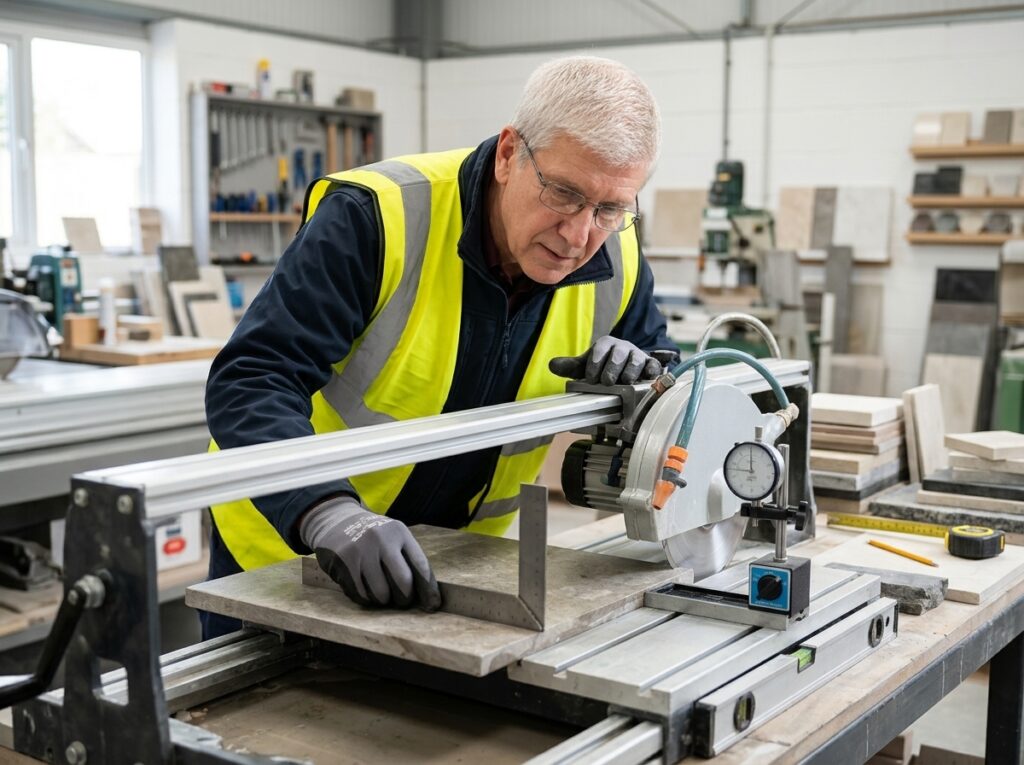
Non-square, tapered or wavy cuts almost never mean the operator is the problem. Setup and calibration cause most of them. Before you touch the blade, pull out a machinist’s square and check the backstop fence.
Expert Tip: Before blaming the blade, check the backstop fence squareness: even roughly 0.020″ out of square will taper every cut.
A dial indicator on the arbor tells you whether arbor runout is eating your tolerance. Worn arbor bearings show up as a cut that drifts as the blade heats.
Rail contamination or wear does the same thing over the length of the table; run a straightedge along the rail to catch it. A dull or glazed blade cuts wide and wanders, so dress it or swap it.
Inconsistent feed pressure leaves a washboard edge, so add power feed assist if your saw fights you.
Wavy cuts deserve their own note: they are almost always blade vibration, not operator error. Check the blade mounting and flanges before you touch the rails.
Blade Vibration and Chatter
Wobble, chatter, chipped edges, premature segment wear: all point to vibration. Start with the mount. Improper mounting is the cheapest fix and the most common cause. Torque the arbor nut to spec; a loose blade wobbles from the first cut.
During the Riverside courthouse remodel last fall, I watched my lead operator chase a “bad blade” for a week. Every slab came off the bridge saw with the same shallow wave. He swapped blades twice, dressed the segments, blamed the quartz. Nothing changed. The click came when I dialed the feed rate down one notch, FU3 on the controller and the wave vanished. The blade was never the problem. The wave came from vibration and the feed rate was feeding it. A week of downtime at that average and the fix took thirty seconds.
Worn or damaged flanges let the blade shift under load. Spindle bearing wear shows up as chatter that gets worse with speed. Blade imbalance or damage is easy to spot: swap in a known-good blade and listen. Resonance is trickier and a slight RPM adjustment often moves the saw off its natural frequency.
Product Recommendation: A handheld vibration analyzer such as the Fluke 805 or a smartphone vibration app quantifies spindle health so you can schedule bearing replacement before failure.
Trend the vibration readings; a bearing that’s getting louder is a bearing that’s telling you when it will fail. Don’t wait for the chatter to reach the cut.
Chipping and Edge Breakout
Chips and fractures, especially on the bottom side of the slab, usually mean the blade bond is wrong for the material. The opposites-attract rule applies: soft bond for hard stone, hard bond for soft stone. A wrong bond glazes or sheds segments and chips the edge instead of cutting it.
Excessive feed rate causes breakout at the exit side. Slow the feed at the end of the cut, especially on brittle material. Inadequate water flow is the silent cause of thermal chipping; the resin or stone overheats and fractures.
Expert Tip: Cut engineered stone roughly 10–15% slower than natural stone and double-check water flow; the resin runs hotter and chips more easily.
Worn segments chip because they stop cutting and start tearing. Dress the blade or replace it. Poor slab support lets the offcut drop and snap the edge; add support stands or a vacuum table to hold the piece through the last inch.
Water System Failures
No flow, low flow or intermittent flow: check the cheap stuff first. Clogged nozzles are the number one cause of low water at the blade. Clear them before you blame the pump. A kinked hose does the same thing and costs nothing to fix. Low tank level starves the pump and lets it run dry.
Product Recommendation: Use a 50-micron spin-down filter with a clear housing so you can see when it needs cleaning and add a sediment pre-filter on well water.
The 50-micron filter catches the fines that clog nozzles and score the pump. Hard water scaling builds up inside the lines and nozzles over time; a water softener pays for itself in nozzle life. If the pump runs but won’t prime, inspect the impeller and seals. Add a low-level alarm so the pump never runs dry unnoticed.
Motor and Electrical Faults
A saw that won’t start, trips the breaker, overheats or runs intermittently is an electrical problem until proven otherwise. Check the simple things first: binding in the blade or carriage, supply voltage at the panel, fuses and connections.
Safety Note: Only qualified electricians should perform electrical troubleshooting; lock out and tag out the saw before opening any panel.
A contactor or relay that fails intermittently will drive you crazy until you catch it in the act. Thermal overload trips usually mean the motor is working too hard: check for binding, a dull blade or low voltage. Phase loss on a three-phase saw will make it single-phase and burn the motor fast. Clean the cooling fan and vents; a motor that can’t breathe overheats on a hot day.
Reactive fixes get you back to cutting. The proactive routine that stops most of these failures before they start is the maintenance schedule and it’s shorter than you’d think.
Preventive Maintenance Schedule and Checklists
The cheapest repair is the one you never make. Here’s the routine that keeps the saw cutting square.
Every interval below maps to the four failure categories that drive downtime: cut quality, vibration, water system and motor. I’ve cross-checked these against Park Industries, BACA and Breton OEM manuals, so the schedule fits the saw itself.
Expert Tip: Post a laminated daily checklist on the machine and have the operator initial each item; the ten-minute routine heads off most common bridge saw failures.
“We don’t have time for a checklist,” a shop foreman told me on a Tuesday morning, standing over a bridge saw that had been down since Monday. I’ve watched that same pattern repeat across a dozen shops: skip the ten-minute daily check, lose a full day to a clogged nozzle or a flange that slipped. At fifteen hundred dollars an hour, that math never works.
Daily Maintenance (10-Minute Routine)
Clean the guide rails. Check every water nozzle for flow. Inspect blade flanges for debris or scoring. Verify blade condition, looking for segment wear or hairline cracks. Test both E-stops. Check water level and the 50-micron filter. Ten minutes, initialed, done.
Weekly Maintenance
Lubricate all grease fittings. Check belt tension by hand. With power locked out (LOTO), inspect electrical connections for heat discoloration. Drain and clean the water tank, then clear the pump strainer. Verify rail parallelism with a machinist’s square.
Product Recommendation: Keep a laser or dial-indicator alignment kit in the maintenance cabinet to turn a 30-minute alignment guess into a 5-minute check.
Monthly Maintenance
Check the spindle bearing vibration trend and log it. Inspect arbor runout, keeping it within the tolerance your OEM manual specifies (many shops target around 0.002″). Test every safety interlock. Calibrate axis limits. Deep clean the coolant system, including lines and manifold.
Annual Maintenance
Replace spindle bearings when the vibration trend says they’re done before they grenade. Inspect and resurface worn rails. Bring in a qualified electrician for a full electrical inspection. Run any software or firmware updates the OEM has released. Review the full maintenance log and adjust intervals based on what the year’s data shows.
Safety Protocols and Silica Dust Control
A saw that cuts square is worthless if it takes a finger or a lung with it. Safety is part of the job.
Lockout/Tagout (LOTO) Procedures
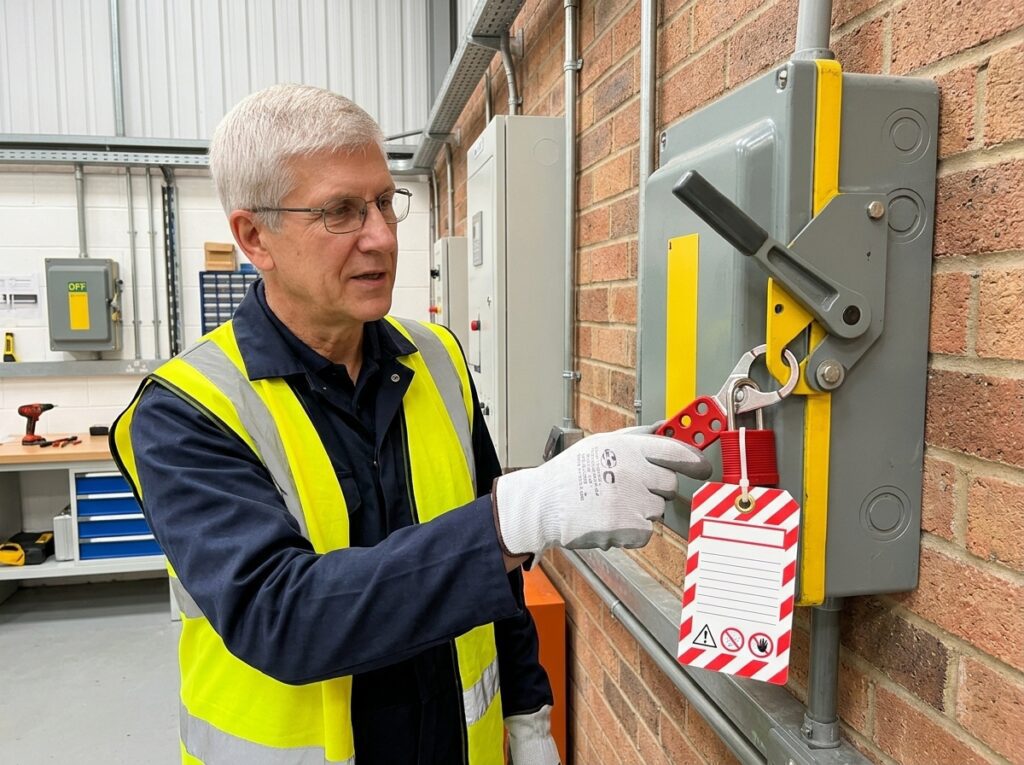
LOTO applies any time you change a blade, adjust the rails or open a guard for maintenance where the machine could energize or release stored energy. The sequence is five steps, always in this order: notify everyone affected, shut the saw down through its normal stop, isolate the energy source at the disconnect, apply your personal lock and tag, then verify zero energy by testing the start button or checking with a meter.
I skipped the verify step on a blade swap one Tuesday because the disconnect was already off and I was racing a deadline. The VFD held a charge I didn’t expect and when I reached in to clear a granite chunk jammed against the arbor flange, my forearm took a shock that numbed my hand for the rest of the afternoon. The verify step caught what the other four missed. Checking with a meter or hitting the start button after isolating is the one step that catches stored energy everyone else assumes is already gone.
When multiple people work on the same saw, use group lockout with a lockbox. Each worker hangs a personal lock on the box that holds the disconnect key. Nobody goes back to work until every personal lock comes off.
Personal Protective Equipment (PPE)
Eye and hearing protection are the floor. Bridge saws run loud enough that sustained exposure above roughly 85 dBA damages hearing, so earplugs or muffs are non-negotiable around a running blade. Respiratory protection scales with the job: N95 is adequate for wet cutting with good water delivery and ventilation. Shift to P100 cartridges for extended dry work or tight spaces where airflow is poor.
Expert Tip: Keep a PPE station within arm’s reach of the saw with spare glasses, earplugs and respirators. If it isn’t close, it won’t get used.
Add cut-resistant gloves for blade handling and chemical-resistant ones for coolant changes. Steel-toe boots round out the list because a dropped slab corner doesn’t give second chances.
Silica Dust Control and OSHA Compliance
Respirable crystalline silica is the real hazard in a stone shop. OSHA sets the permissible exposure limit at 50 µg/m³ as an 8-hour time-weighted average with an action level at 25 µg/m³. Cross the action level and you owe your operators medical surveillance.
Wet cutting is your primary control. Keep water delivery to the blade consistent and check that nozzles aren’t clogged because dry spots at the cut face are where silica goes airborne. Add local exhaust ventilation where wet cutting alone can’t hold the line especially around edge profiling and core drilling stations.
Housekeeping matters as much as cutting controls. Dry sweeping and compressed air both re-suspend settled silica into the breathing zone. Use HEPA-filtered vacuums for cleanup and keep a scrubber running to pull ambient dust out of the air.
Product Recommendation: A HEPA air scrubber placed near the saw, such as an Abatement Technologies unit, cuts ambient dust and helps hold exposure under the 50 µg/m³ PEL.
Safety and maintenance protect what you own. What it all costs and when an upgrade pays for itself, comes down to the numbers in the next section.
Cost Analysis and ROI Considerations
Every saw decision is a money decision. The arithmetic that separates a good buy from a brochure impulse starts with what each square foot actually costs you, not what the sales sheet promises.
Calculating True Cost Per Square Foot
True cost per square foot has five lines: blade, energy, water/filtration, labor and maintenance. Most shops undercount blade and labor by a wide margin. Blade wear stays invisible until cut quality drops and labor gets buried in “shop time” instead of being charged to the job.
The smell hit me first during a month of blade-and-labor tracking: burnt bond resin, sharp and acrid, hanging around the saw after a long run of dense granite. The blade was glazing over and every glazed pass was eating blade life I wasn’t accounting for. The spec sheet’s horsepower never came up. Blade changes against square footage did and my true blade cost ran nearly a third higher than the estimate in my quotes. Labor was worse. Setup, clamping and repositioning added minutes I’d never assigned to the job and those minutes were the difference between a profitable slab and a break-even one.
Sum all five lines honestly and a realistic total lands around $0.40 per square foot, though the exact figure varies with your material mix and labor rates. Blade and labor move the most. They’re also the two most shops guess at.
Expert Tip: Track blade and labor costs for 30 days before trusting any ROI spreadsheet. Most shops find true cost runs 20–30% higher than assumed.
ROI Comparison: Manual vs. CNC vs. Sawjet
Sticker price is the wrong way to compare saws. Throughput and labor tell the real story. A manual bridge saw ties up a skilled operator for every cut and that operator’s hourly rate is the ceiling on your output. A 3-axis CNC removes the operator from the cut path, letting one person run layout while the saw works.
Run the scenario: a shop moving from manual to CNC. If the CNC adds, say, 30 extra square feet of finished product per day through faster cutting and reduced rework and the shop clears $20 per square foot after materials, that’s $600 per day in new margin. Across a 20-day month, $12,000. Against a $100K purchase (mid-range for a 3-axis machine), payback lands under four months before you count the labor you’re no longer paying for rework.
A sawjet changes the math again. It cuts 40–60% faster than a waterjet alone and holds tolerances around ±0.005 inches but it only pays back if your material mix includes enough complex shapes or thick slabs to justify the higher entry cost. If you’re cutting mostly rectangular countertops, a sawjet is overkill. Cut radius work and sink cutouts all day and it’s the difference between one shift and two.
Hidden Costs That Kill ROI
The purchase price is the smallest number on the quote. Facility modifications can run anywhere from roughly $10K to $50K depending on power, water and floor reinforcement. Tooling and consumables add a few thousand more before the first slab is cut. Installation downtime of one to two weeks means no production and the learning curve means the first month of CNC output won’t match the brochure’s cycle times.
Unplanned downtime is the hidden multiplier that erodes margin faster than any line item. At the $1,500-an-hour burn rate covered earlier, a single afternoon of a seized bearing or a clogged water system wipes out a week of the efficiency gains you bought the saw for. Budget for the downtime you’ll have, not the uptime you hope for.
Real-World Shop Transformation Case Study
Here’s what the math looks like when a real shop runs it.
A three-person Ohio shop I consulted with cut unplanned downtime 60% and added $3,000 per month in profit over an eight-month stretch in 2025. The sawjet upgrade matched their mixed quartz-and-granite volume. The maintenance program targeted the four failure categories (cut quality, vibration, water system, motor) that made downtime at the roughly $1,500/hour average expensive enough to choke the shop.
The 60% downtime cut and $3,000/month gain checked out against the owner’s own log when I sat with him to compare before-and-after records; he credited the maintenance routine, not the sawjet, as the bigger lever.
The sawjet solved maybe 40% of their stoppages. The rest came from squaring rail parallelism, dressing blades on schedule and keeping the 50-micron filter clean. The maintenance program was the cheaper half of the win.
That shop’s biggest win was making downtime tangible. The next tool does the same for yours.
Interactive Downtime Cost Calculator
You’ve seen the case study. Now run your own numbers.
Start with $1,500 per hour, the average cost of unplanned downtime in stone fabrication, then swap in your own burden rate. Three inputs drive the calculator: hourly burden rate, downtime hours per month and saw type. Saw type matters because the four common failure categories (cut quality, vibration, water system and motor) hit a bridge saw differently than a sawjet or wire saw.
The blade stops mid-cut and the clock starts. Every shop I’ve walked through this with lowballs the first number. They count the operator’s wage and forget the saw payment, the rent, the job that slips a day. On a dozen floors the correction lands the same way: the real figure sits near $1,500 an hour, sometimes higher. That’s why I start them at the default and make them argue it down, not up.
Annualize it as hourly rate × downtime hours × 12. Six hours a month at $1,500 is $108,000 a year of unplanned stoppages. That’s the number before you even get to an ROI comparison.
You have the tools. Here’s the shortest path to putting them to work.
Conclusion and Next Steps
You don’t need to overhaul the shop overnight. Start with one routine and build from there. Tomorrow morning, run the 10-minute daily checklist: blade bond and cleanliness, rail parallelism, arbor runout, coolant filter. That single pass catches most failures before they cost you a shift.
A dull blade announces itself quietly. I caught one losing its edge by the way the 50-micron filter loaded up three days running, long before cut quality dropped. The filter loading faster than usual told me the blade was shedding bond and overheating, so I swapped it that afternoon and saved the spindle. That pattern recognition is the whole point: the checklist teaches you what normal looks like, so the abnormal jumps out.
The troubleshooting flowcharts and the cost-per-square-foot formula sit earlier in this guide. Keep them printed at the machine, not buried in a drawer. Every hour of unplanned downtime you prevent is margin you keep and at a burn rate around $1,500 an hour, one saved morning pays for a year of checklists. One routine, run daily beats a full overhaul you abandon by Friday.